
Someone sent you a STEP file. Open it right here.
PartPreview opens 3D CAD models in a browser tab. Turn the assembly around, measure it, cut through it and see what it weighs, without installing CAD software and without uploading the file anywhere.
Drop a .step, .stp, .iges or .brep file onto the viewer, or use Open.
Nothing to install
Open the page and drop a file on it. No download, no add-on, no account.
Your file stays with you
The model is read and processed inside your browser. It is not sent to a server, so drawings under NDA stay on your machine.
Any computer at hand
A shop-floor PC, a laptop at a supplier meeting, a colleague's desk: if it has a current desktop browser, it can open the model.
Made for the people who receive the file
- You don't have CAD, but you have the model
- Orbit, zoom and fit. Hide, isolate or delete parts for a clearer look, find a part by name, and snap to front, top or isometric views.
- You're quoting or machining a part
- Measure between points, edges and faces, cut a section to see wall thickness and pockets, and read volume, surface area and mass.
- You're checking what goes into an assembly
- Browse the component tree as the designer structured it, or switch to the parts BOM, where identical parts are grouped by name.
- You need it in another tool
- Export every body as STL or 3MF for printing, OBJ for general 3D tools, or GLB for the web.
- You need a picture for a review or a datasheet
- Frame the model and render a clean HD image from the render workspace.
- You work on the electronics
- Open Gerber and drill archives, KiCad boards and IPC-2581 files, and step through the board layer by layer or in 3D.
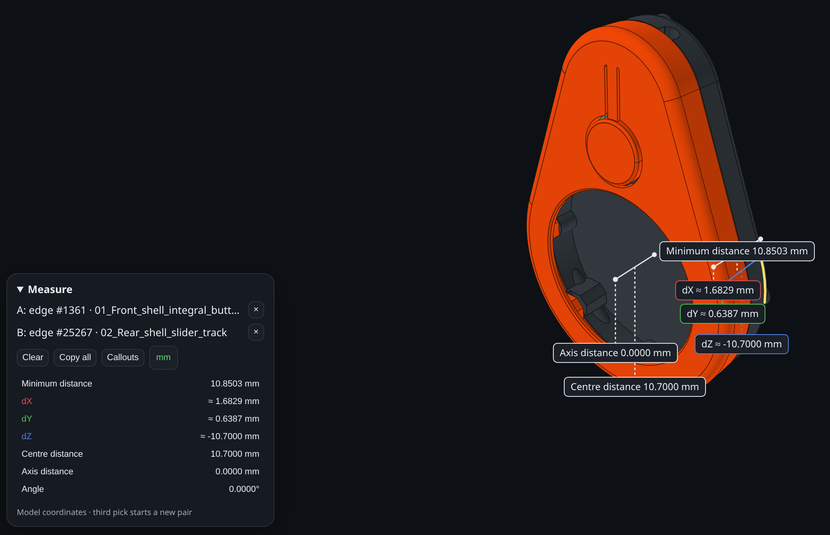
Measure what you're looking at
Turn on 3D measure and click. Points, edges and faces are picked automatically, and the readout gives the distance plus the X, Y and Z deltas, right on the model.
- Shift-click several edges for their total length.
- Switch units between millimetres, centimetres, metres, inches, feet and mils.
- Copy every value at once to paste into a quote or an email.
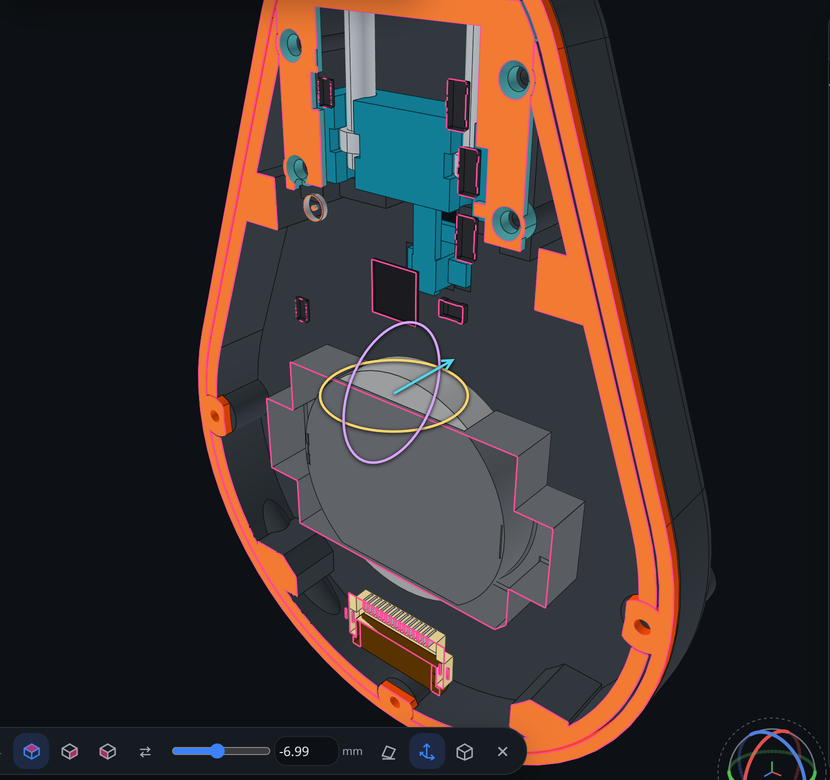
See inside without taking it apart
Drop a section plane along X, Y or Z, or align it to any face, then slide it through the model. Cut edges are outlined so you can read walls, clearances and how parts sit inside the housing.
- Flip the plane to look from the other side.
- Up to four section planes at once.
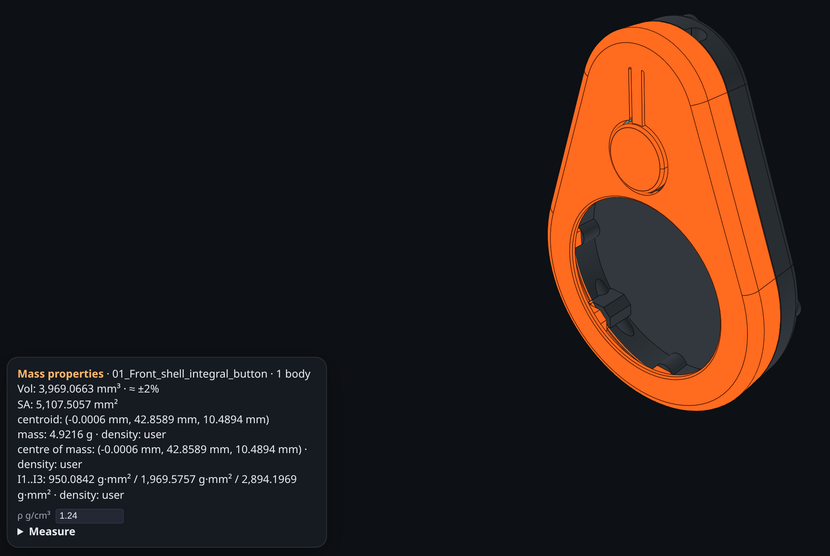
Know what it weighs
Right-click a part and choose Mass properties. You get volume, surface area and centroid straight away; mass, centre of mass and moments of inertia follow from the density stored in the file, or from a density you type in.
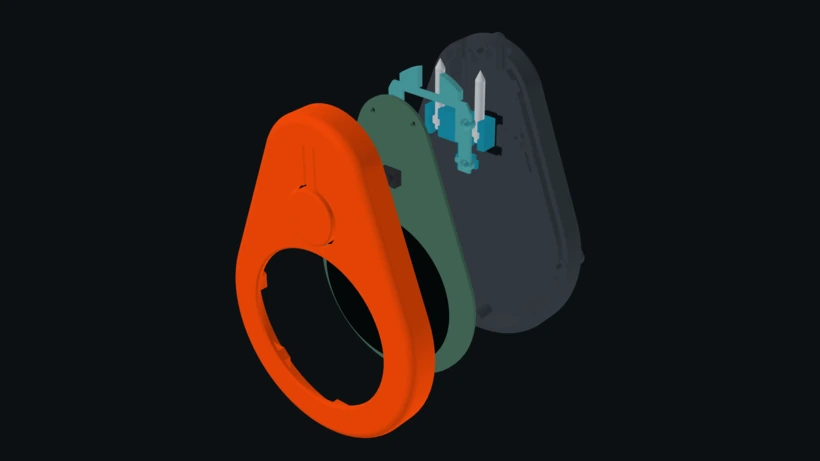
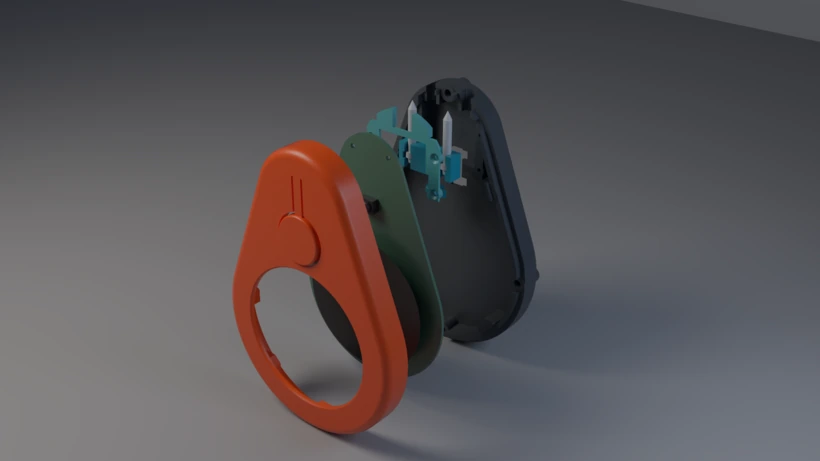
Images worth putting in a review
The render workspace frames the model in a studio and renders a full HD image in a clean Technical style, with crisp edges and flat, readable colour.
A photographic style and video output are there too. Both are marked Experimental in the app while their image quality is still being worked on.
Files it works with
Opens
- STEP .step .stp .p21, including ZIP archives of a STEP assembly
- IGES .igs .iges
- OCCT BREP .brep .brp
- Meshes STL, OBJ and PLY
- Circuit boards Gerber and Excellon ZIP archives, KiCad boards and schematics, IPC-2581
Saves
- Meshes GLB, STL, OBJ with materials, 3MF
- Images HD renders from the render workspace
- STEP selected parts or the assembly as AP203, AP214 or AP242 Experimental
Have the file handy? Open it now.
Open the viewerRuns in a current desktop browser. The geometry engine runs as WebAssembly on your computer and draws with WebGPU, or WebGL where WebGPU is not available.